Embed Content In Your Website
One benefit of being on ReviewNPrep is that you can use the uploaded video content (individual videos) and flashcards on your own existing website.
This can be a great option if you want to include a paywall in your own existing website.
PS: If you want to embed the entire Practice Exam and/or Video Course, you can purchase a WhiteLabel plan from your profile. Embed Videos
Under Manage content in your profile, click on Video Courses. Navigate to the video course and click on the Section you want to embed the video from.
Once you have the right video, click on the right most Embed button.
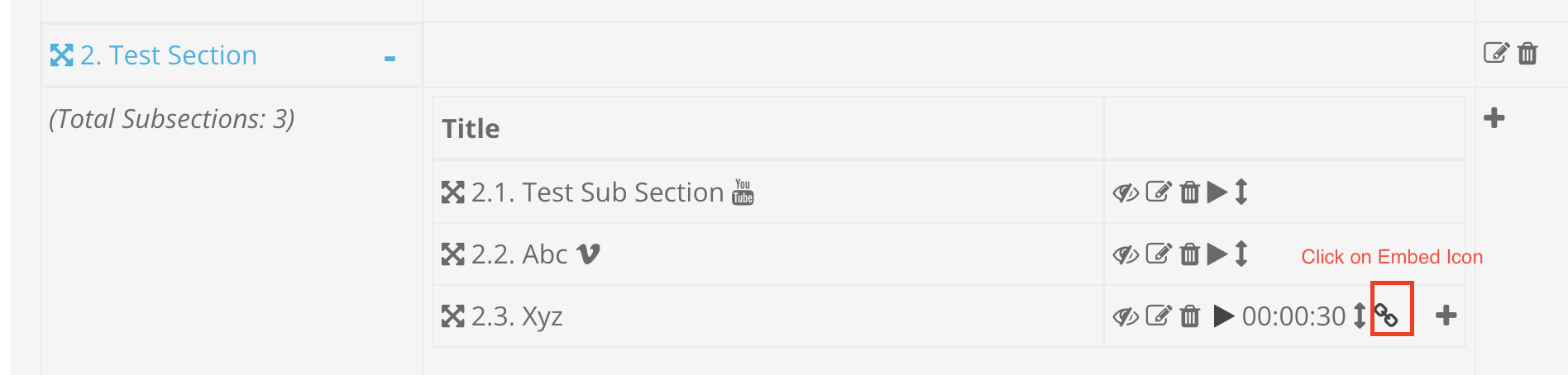
Once you click on the embed, you'd have two choices as shown below:
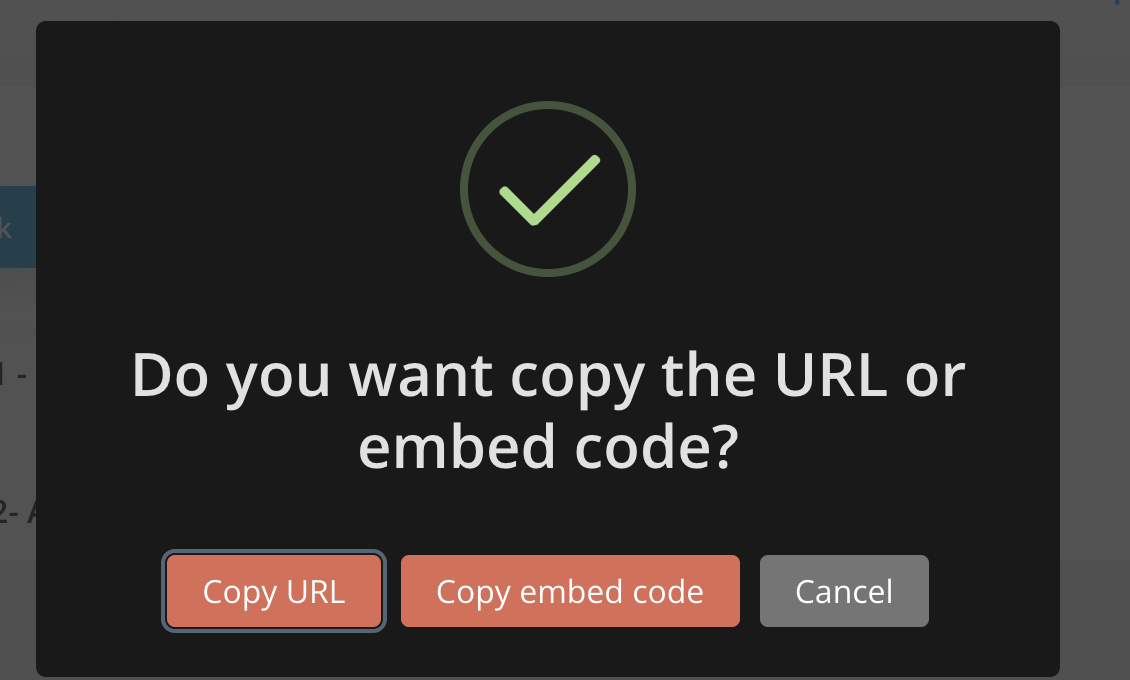
Copy URL: Creates a unique link that would be a stand alone page you can use in your website. Example copy URL: https://reviewnprep.io/embed/4929
Copy Embed Code: Creates an html code with an iframe that you can use to embed in your existing web page. Example Embed code:
<iframe src="https://reviewnprep.io/embed/4973" width="800" height="400"></iframe>
Please note that the width and height can be changed as per users choice.
Embed Flashcards
Under Manage content in your profile, click on Flashcards. Navigate to the Flashcards course and click on the Section you want to embed the video from.
Once you have the right video, click on the right most Embed button.
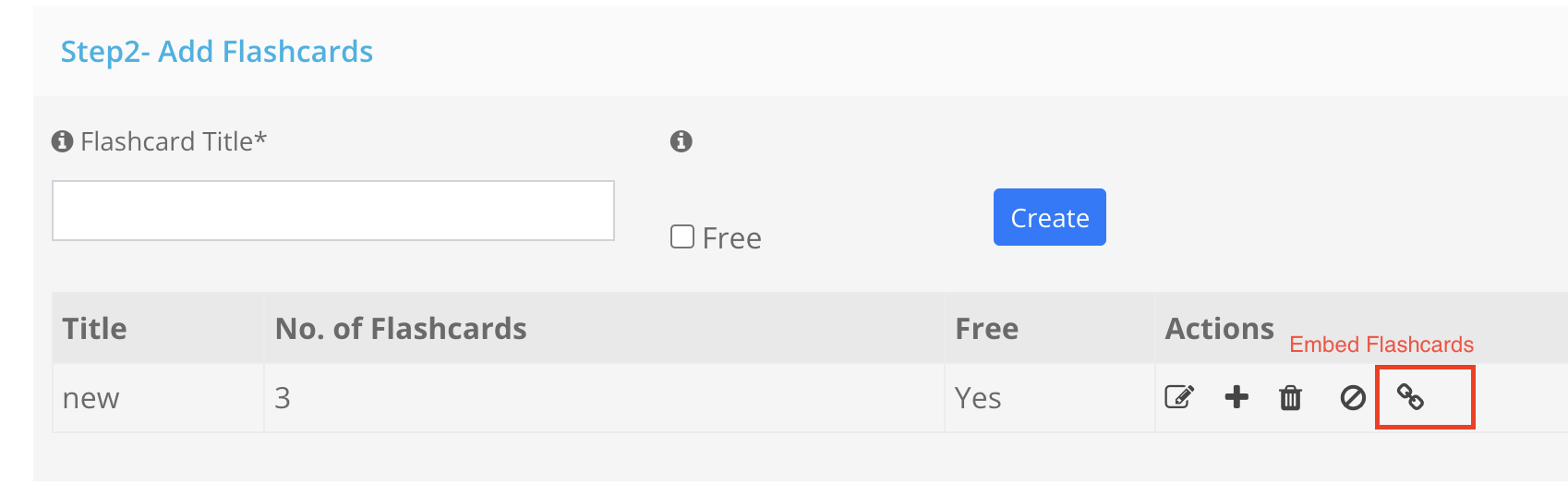
This creates an html code with an iframe that you can use to embed in your existing web page.
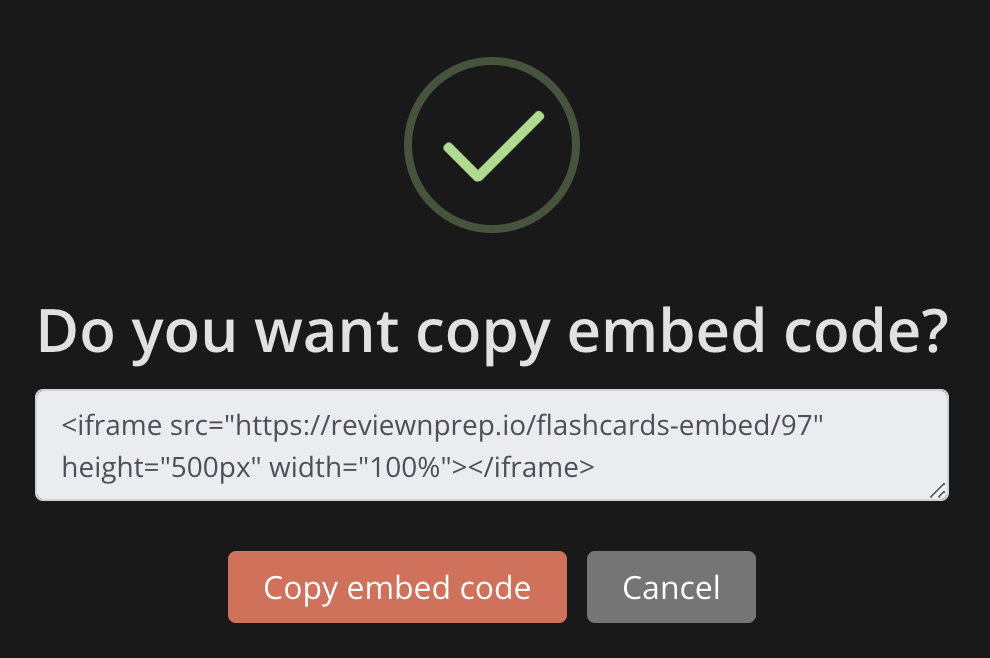
Please note that the width and height can be changed as per users choice.